ROG Xbox Ally X: When a Portable PC Wears an Xbox Gamepad. The Review
Everything is Xbox


Perhaps you've already heard it: everything is Xbox. In the latest and most recent turn, Microsoft's gaming division has decided to focus on spreading the brand across every gaming territory, bringing the Xbox brand to new devices, such as smart TV apps, or even beyond the ancient fences of the console war, publishing its internal titles on the consoles of historical rivals. This strategy also includes a collaborative approach with hardware and software companies orbiting the PC Gaming sector. It is under this astral conjunction that Asus ROG Xbox Ally X is born, Xbox's first foray into the handheld territory and in some ways a possible window through which to glimpse flashes of the entire brand's future.
Before we start, a clarification: despite the partnership with Xbox, the device created by Asus is not a portable console, but rather a hybrid much closer to a laptop, like similar devices from other manufacturers (Valve, MSI, Lenovo, etc…) with which it competes. For this reason, the following analysis will essentially take the form we generally use when reviewing gaming laptops. Another clarification: there are two models of this device: a white one, with less powerful components, called simply ROG Xbox Ally, and a black one, with the suffix X in the name, which is the flagship version we were able to test and which is the subject of this analysis.
ROG Xbox Ally X: Design & Build
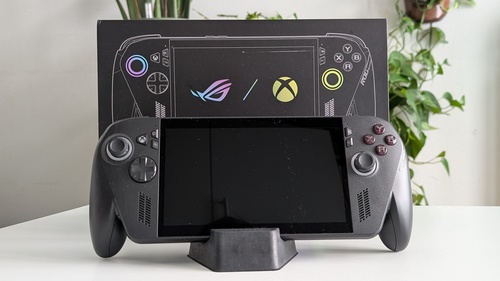
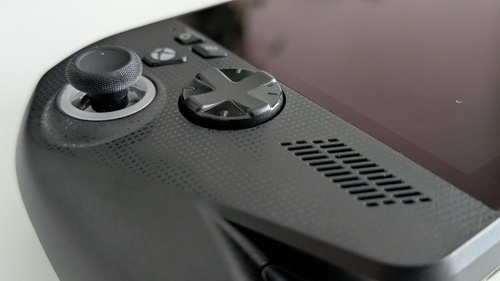
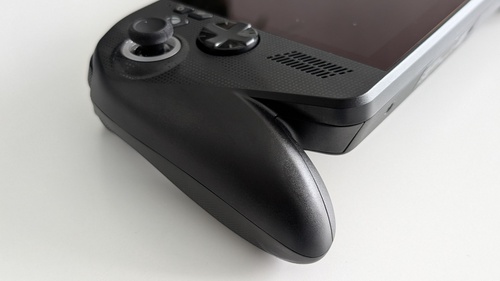
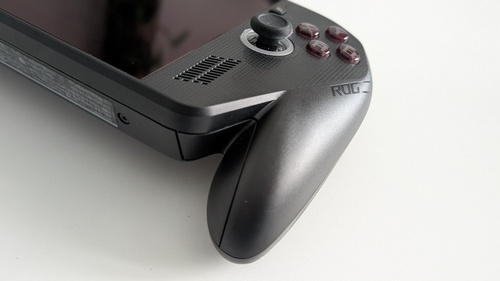
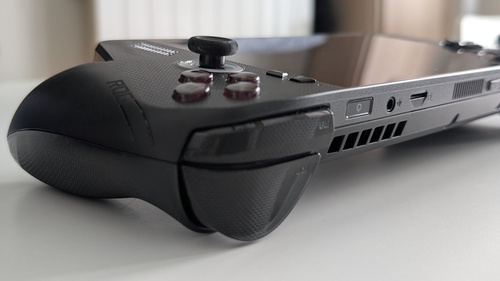
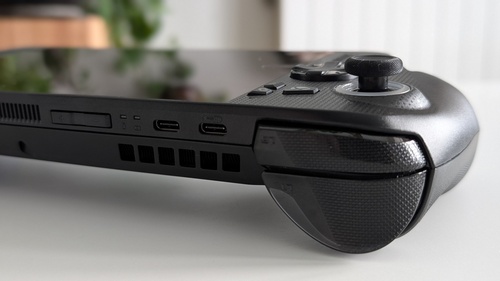
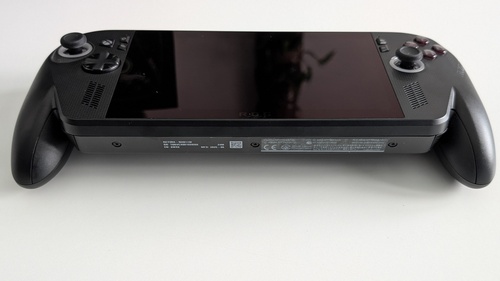
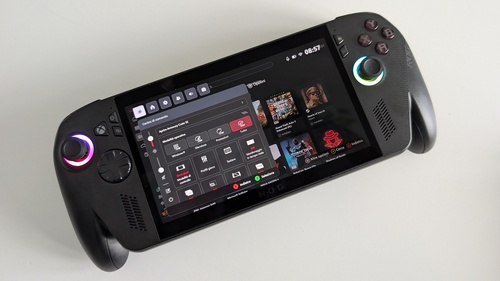
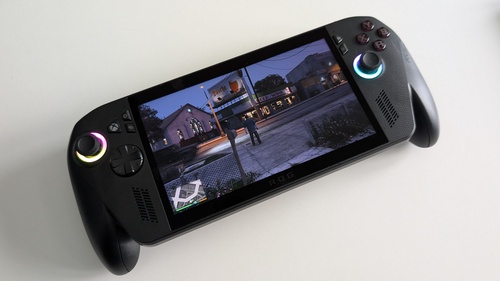
As mentioned above, ROG Xbox Ally X is not the precursor in this market segment: the palm for being first goes to Valve with its Steam Deck, but Asus has also already created several devices including the recent ROG Ally X launched in 2024, whose resemblance to ROG Xbox Ally X is not limited to the name alone. The shape of the central body of the handheld, the arrangement of the buttons, sticks, and speakers, in fact, is (almost) the same as the 2024 model: the characteristic sign of the collaboration with Xbox is therefore the grip, directly borrowed from Microsoft's console pads. A design approach reminiscent of PS Portal, but with a clear difference: the screen is misaligned with respect to the grip, which makes it decidedly more comfortable to play in certain positions, the more relaxed ones to be precise, but also less comfortable to use flat, also due to a surface not immune to reflections. How much this can affect the experience, however, is difficult to evaluate objectively: it depends very much on how it is used, one's posture, and also, ultimately, one's hands. Using ROG Xbox Ally X as an additional element of a widespread home gaming ecosystem, therefore as a comfortable solution for the sofa or bed when the TV is occupied, the inclination is certainly a convenience; if, on the other hand, you plan to use the handheld as a potential substitute for a laptop, take this feature into consideration.
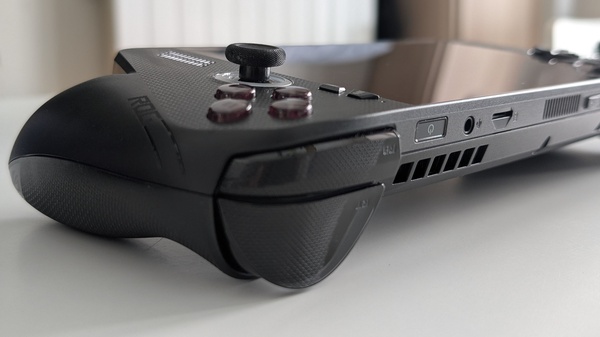
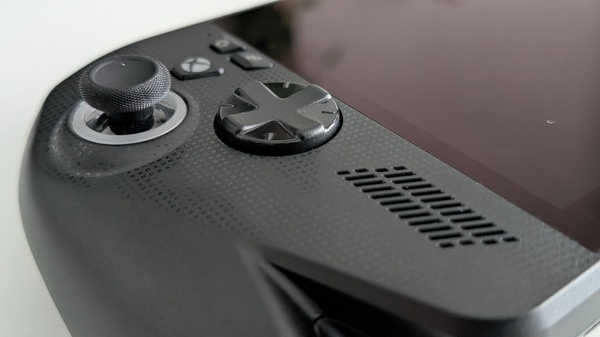
In addition to the grip, this new evolution of the ASUS handheld has also gained the addition of a new Xbox button, at the top left between the analog stick and the D-Pad. Another slight difference is the decorative embossed pattern in the plastic, on the front of the casing. Despite the weight (715 g) being slightly higher than other handhelds on the market, but almost two hundred grams heavier than Switch 2, ROG Xbox Ally X is always handled quite well. This is thanks to excellent internal balancing and a grip that never tires the hands or causes annoying tingling. Of course, in the long run, you realize you have almost a kilo in your hands, but at that point, it's probably time to do something else. The positioning of the fans in the upper part of the device also allows hot air flows to move away without approaching the hands, nor heating any part in contact with them. In general, the device never reaches excessively high temperatures, not even in Turbo mode, and in any case, simply holding ROG Xbox Ally X, it is difficult to notice any temperature variation inside.
ROG Xbox Ally X: Performance and Specifications
If the price of ROG Xbox Ally X is among the highest in this segment, the explanations are all under the hood: Ryzen AI Z2 Extreme is a latest-generation APU explicitly designed for high-performance handhelds, accompanied by an AMD Radeon 890M GPU. But above all, by a NPU (Neural Processing Unit), a component already seen on some high-end gaming notebooks that we have reviewed on these pages, designed to support AI work and which will probably play an increasingly central role in image processing that will then be displayed on our devices. In addition to 24 GB of RAM, 2 USB-C ports also usable as a connection to an external monitor, and 1 TB of SSD, on the hardware front, the two analog sticks equipped with Hall Effect technology deserve a special mention, finally solving the perennial problem of drifting.
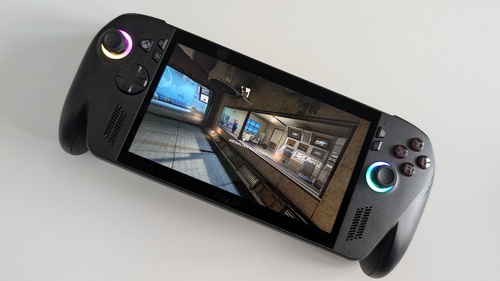
Moving on to performance, this topic reminds us how close ROG Xbox Ally X is to a laptop. Through the functionalities of the Armoury Crate app, it is possible to set the operation (and consumption) of the device in three different modes: Silent, Performance, and Turbo, with an additional performance boost allowed by wired Turbo mode. Taking into account the maximum resolution of 1920x1080, it can be summarized by saying that it plays quite well. Generally speaking, the ASUS and Microsoft hybrid device manages 30 FPS at medium details on next-gen titles in Performance mode, while it approaches and in some cases reaches 60 FPS in Turbo mode. There are many distinctions to be made, because the breadth of customization available for each individual game varies the possibility of tinkering to adjust the experience to one's desires, and similarly, the relationship of the individual game's drivers with the device (with updates in this regard coming) affects performance. During our test, we installed Forza Horizon 5, Marvel's Spider-Man 2, Robocop: Rogue City, GTA V Enhanced Edition, and Heart of Iron IV, trying them in both Performance and Turbo mode (wired and unwired) obtaining results in line with what was said above, net of some sporadic difficulties (such as freezes on FH5).
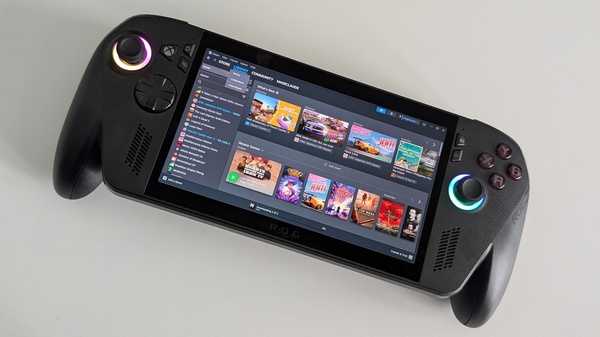
While connecting to the power grid doesn't provide a significant performance boost as we might have imagined, the changes between Performance and Turbo are perceptible to the naked eye (even for those who don't ordinarily count FPS), allowing the device to push where game options leverage the GPU's specificities in more detail. By giving up full resolution for 720p, the window of possibility is further expanded. All in all, performance is high, but not extremely high, although close to that of the MSI Claw 8 AI+, the current benchmark. ASUS and Microsoft's choice, however, is for a different balance between performance and consumption: as we will see shortly, this philosophy yields substantial advantages in exchange for some sacrifices.
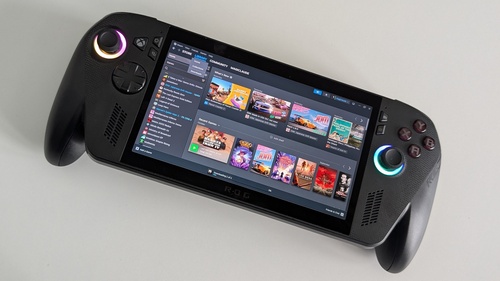
Before moving on, when talking about games, it's useful to clarify which libraries are natively supported. The device can be started in Windows 11 mode or directly in Xbox mode, with a partial saving in terms of RAM usage. It is also possible to download applications from other stores (Steam, Epic, GoG, Ubisoft, etc.) and download games you own on different platforms to the device. The Xbox App then acts as a unified hub, displaying games purchased elsewhere in your library (accessible via a physical button at any time), which can be launched with the press of a button. Be careful, however: as for your Xbox library, in addition to any Game Pass titles shown to subscribers, you will only find games for which you own a PC version or those that fall under the Play Everywhere program. In other words, a good part of your Xbox game collection will not be playable at launch on ROG Xbox Ally X. However, it is rumored that one of the future updates may include the possibility of accessing your console titles via the cloud. More generally, although the OS is currently usable, it is reasonable to expect some improvements in this regard as well. And since the machine ultimately runs on Windows 11, expect some crashes now and then.
The Display of ROG Xbox Ally X
Without mincing words, the screen is the real weak point of ROG Xbox Ally X. Not because its characteristics are not good, but rather precisely because they are simply good, not in line with what the device shows on other fronts and below expectations for such an expensive device. The display is a Full HD IPS LCD with a peak brightness of 500 nits, which makes outdoor use difficult, especially in situations of strong brightness. The color depth is still decent and the overall rendering is acceptable, yet the impression is always that a device with these ambitions and characteristics would have deserved at least an OLED and HDR support, as well as perhaps an extra inch of diagonal (stuck at 7").
ROG Xbox Ally X: Battery Life and Portability
In a portable device like this, the balance between performance and battery life is always a central element. If ROG Xbox Ally X, as we saw above, approaches but does not break through the performance peaks of the category, on the other hand, it offers truly remarkable battery life, despite the 80W not being miraculous, a sign that this result was achieved through engineering work and not mere brute force. Once again, every consideration must be weighed based on the power profile set and how the device is used. But generally speaking, it's around 6 hours in Silent mode playing less demanding titles in terms of computing resources, while in Performance it's around 3 hours with more modern and demanding titles. Battery life finally drops just under two hours in Turbo mode. This does not mean that by combining the device's power modes and the graphic options of individual titles, different performances cannot be achieved. No problems with battery life, therefore, nor with stability as mentioned above.
ROG Xbox Ally X: Verdict
To put it briefly, with ROG Xbox Ally X you play very well, and the price seems at least partially justified by its specifications (screen aside) and its future potential. To put it a bit more elaborately, ROG Xbox Ally X has a high-end handheld price and positions itself there, competing with rivals on power and performance, surpassing them in battery life, disappointing with its screen, and presenting a hybrid operating system on which work still seems to be ongoing, but which is certainly interesting and usable now. Much of the confusion revolves around its nature as an Xbox product, which leads it to be compared to a console, even though the commonalities are ultimately few. The device's true weak point is the screen, which is a bit small and technologically underperforming, but on the other hand, the presence of an AI chip and the software optimizations promised by Microsoft suggest that in its current form, ROG Xbox Ally X still has a fair amount of untapped potential.
Gallery
Similar articles

Replaced, the review: an AI with a human heart

Dispatch finally has an Xbox release date

Well Dweller Xbox Series X Review: Kyle Thompson's metroidvania is the indie surprise of 2026