Razer Pro Type Ergo — Review: The Ergonomic Keyboard That (Perhaps) Saved My Shoulder
Alice layout, integrated padded wrist rest, three connection modes, and Command Dial: the Razer Pro Type Ergo is a serious office keyboard for those with real posture problems. At €199, however, you need to know that upfront.
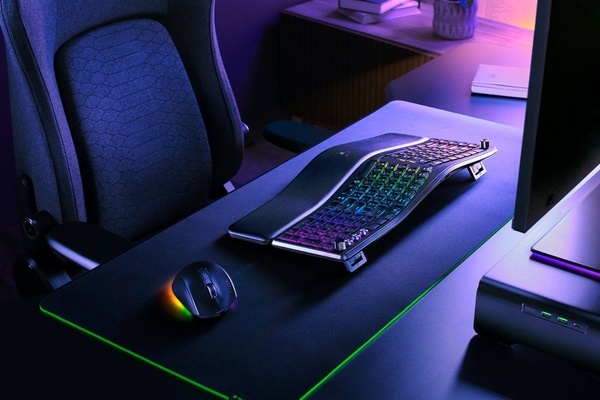


I admit, this article stems from a personal need, rather than a market analysis. Around March, an incessant pain in my right shoulder almost forced me into immobility for several days. I could barely move my arm, with a constant, throbbing pain radiating from my shoulder down to my elbow. Usual check-ups, usual consultations leading to the usual recommendations: “adjust your workstation.” Now, I already have chronic back problems, so my setup is already geared towards preserving what little remains: ergonomic chair, well-calibrated heights and distances, cushions to reduce dangerous “sharp edges.” Well, it wasn't enough.
I had to take an extra step with peripherals and switch to something more drastic. Setting aside “gamer” accessories, I had to rethink something that could give me the same pleasure of use, adapting it to my condition. While I solved the mouse issue with a “vertical” solution, which was overall pleasant and had an ultra-fast learning curve, I needed a keyboard equivalent. Dusting off my love for Razer, I arrived at the Pro Type Ergo, a “curved” keyboard (or “old-fashioned,” some might say).
Gallery
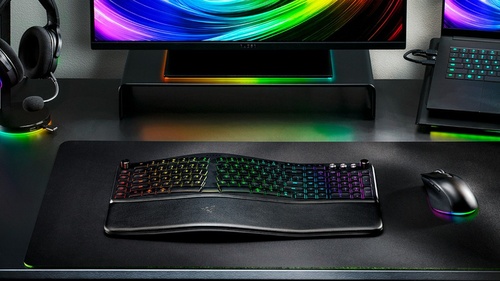
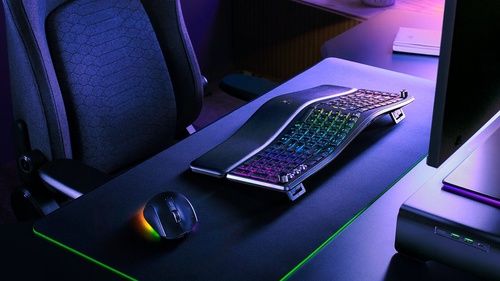
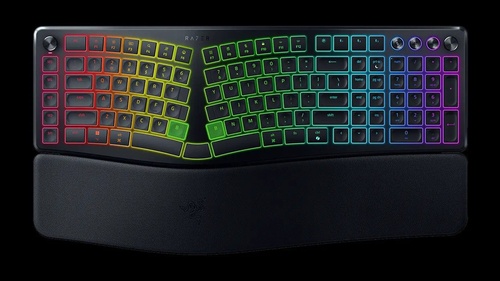
What is an Alice layout keyboard and why it could change your working life
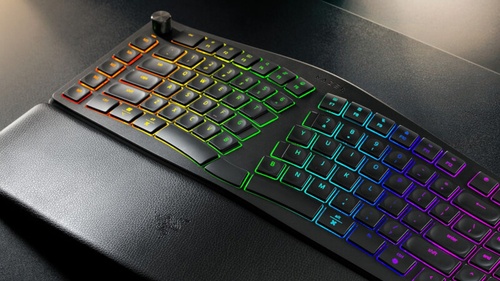
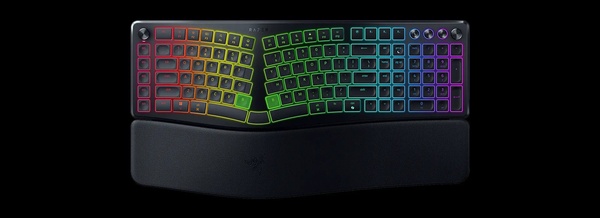
The Pro Type Ergo is a keyboard that experts would describe as having an “Alice” style split layout, with the two sections of the keyboard angled to promote a more natural position for hands, wrists, and shoulders, reducing wrist extension and forearm tension. Unlike keyboards completely separated into two physical halves, here the two sections remain connected in a single body, which makes the transition from a traditional keyboard less traumatic.
One “nice” thing is that, given the particularity of its shape, Razer has included a double “B” key, available in both halves of the keyboard, just as the spacebar has been divided in half, with an additional key in the center for the “backspace” key, which on some occasions has made me lose several “Paradise Points.”
Keys, membrane switches, and wrist rest: everything you need to know before buying
The key configuration is “low profile,” with special spherical indentations on the keys that perfectly cradle the fingertip for easier and “guided” typing. Obviously, given the “office” use of this type of device, your ear will have to adapt to the extreme quietness of the keyboard, giving up the more classic “clicky” sound that Razer keyboards have accustomed us to over all these years.
A peculiarity that defines the usage style of the Pro Type Ergo is the presence of a non-removable padded wrist rest that offers five typing angles: flat, tilted forward by 4° or 7°, or backward by 4° or 7°, to adapt to both sitting and standing use. In short, you will be able to adapt your typing based on your style, or your specific problem.
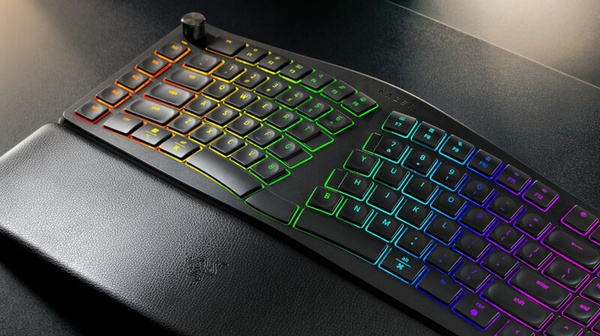
Connectivity: HyperSpeed 2.4 GHz, triple Bluetooth, and USB-C
In terms of connectivity, Razer has provided multiple possibilities for this keyboard:
• Razer HyperSpeed Wireless at 2.4 GHz (dongle included, with integrated storage compartment)
• Up to three Bluetooth profiles
• Wired USB-C connection
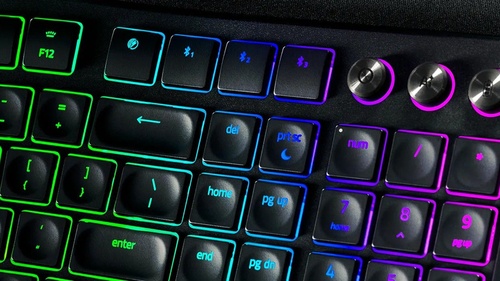
Switching between devices is quick via three dedicated keys. Furthermore, the Pro Type Ergo is compatible with Windows, Mac, and Android. Despite the 1,000 Hz polling rate on wired and low-latency wireless, it is not designed for competitive gaming: membrane switches and the ergonomic shape are not ideal for those seeking extreme responsiveness.
Battery life and RGB: mind the compromise
On the battery life front, Razer claims up to 3 months of typical office use without active RGB lighting. So, keep the backlight issue in mind, because once active, battery life drops to something like three weeks at most. Nothing shocking, mind you, since the keyboard can still be recharged during use, without hindering your work activities.
The multimedia and customization/macro parts of the Pro Type Ergo are made explicit by the “Command Dial,” which is a configurable wheel for zoom, scrolling, window switching, or other quick functions (such as, for example, the backlight color) and by another wheel, located on the right side of the keyboard, which directly controls the volume. There are also Macro keys on the left side, programmable via Razer Synapse, with predefined profiles for apps like Photoshop, DaVinci Resolve, and Excel. The “extra” keys are rounded off by the AI Prompt Master, a dedicated key to quickly recall AI-based functions, such as text summaries or email drafts, without changing windows, and a control key (stop, play) for multimedia content.
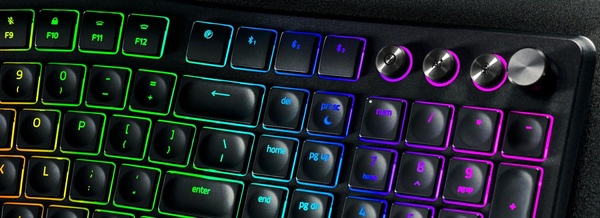
Command Dial, macros, and AI Prompt Master: the extras that make a difference
In short, how was my experience with the Pro Type Ergo? Excellent, with a couple of important exceptions. The first is that you have to adapt to a layout based solely on USA keyboards. Once certain automatisms are memorized, typing will be equally fluid, but this obviously depends a lot on you. Currently, the keyboard is sold with only the American layout, so keep that in mind when evaluating. You also have to come to terms with the fact that if you want to configure the keyboard in every part, you will have to download and install Synapse, Razer's proprietary software which, in the year of our Lord 2026, has not yet thought of a web version, leaving all the weight on the shoulders (and systems) of the end user. The third and final exception relates to the space it occupies on your desk, because the Pro Type Ergo is not exactly tiny.
Furthermore, but I only say this for honesty towards our readers, I had some problems related to annoying keyboard shutdowns even if the battery level reported by Synapse was not worrying. A firmware update fixed the problem, but I cannot pretend that I didn't have problems in this regard.
For the rest, I can say that the use of this device has been more than positive: materials and comfort are top-notch and it actually contributed to a progressive solution of the problem (along with a new chair and desk height), so much so that it has become my “official” keyboard in the office. Typing is always fluid, once the keyboard is “mapped” with the references of the Italian layout. It took a while but in the end, my typing rhythm didn't suffer at all.
What about gaming? Better to be honest
Well, no. Unless it's something extremely casual, or at least not at an exaggerated pace. It's certainly not suitable for hyper-fast titles or pro gamers, which is not to be seen as a defect; it simply wasn't designed for that.
The price? Significant: 199 euros. The evaluations are up to you.
Rating: 7.5
Similar articles

GameSir G7 PRO 8K — Review: The PC Controller with 8000Hz Polling Rate That Challenges Keyboard and Mouse

The Relic: First Guardian – Review of the game that combines soulslike and RPG
Streaming and podcasts: Razer unveils the new Seiren V3 Pro