GameSir Pocket Taco, the controller that transforms your smartphone into a retro gaming console!
GameSir Pocket Taco, with a few buttons and an unmistakable design, all the love for games of the past, love for the good old games!


GameSir Pocket Taco: Specifications of the Small Controller
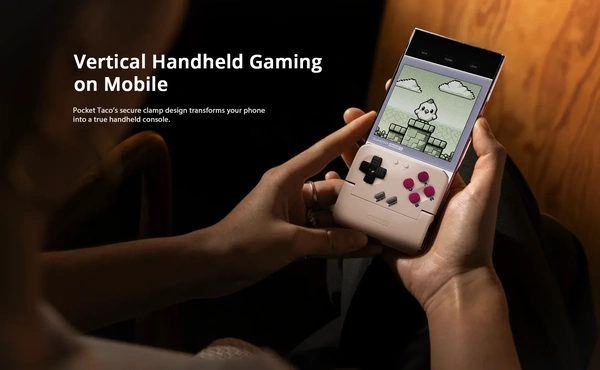
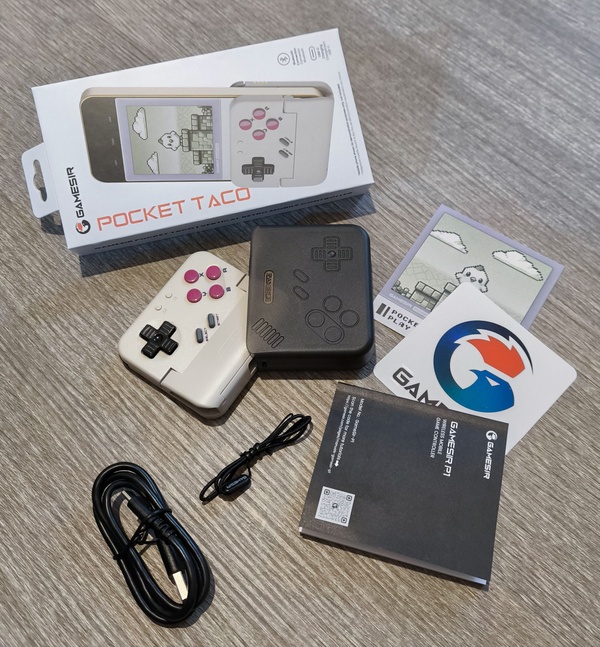
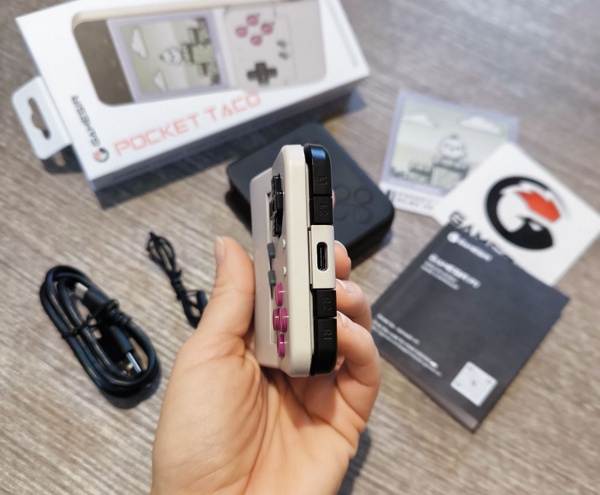
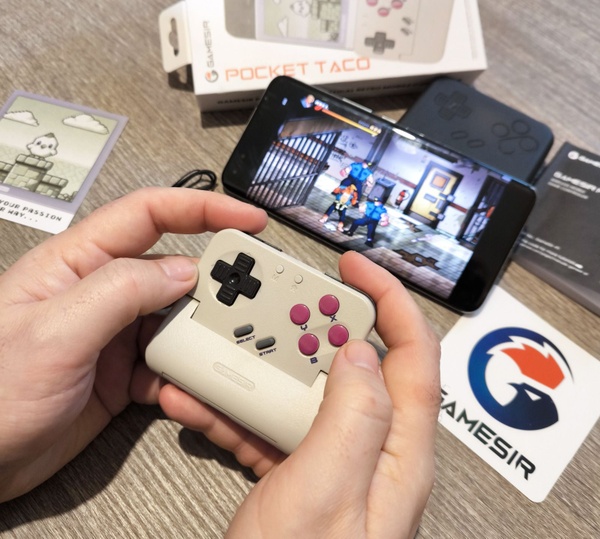
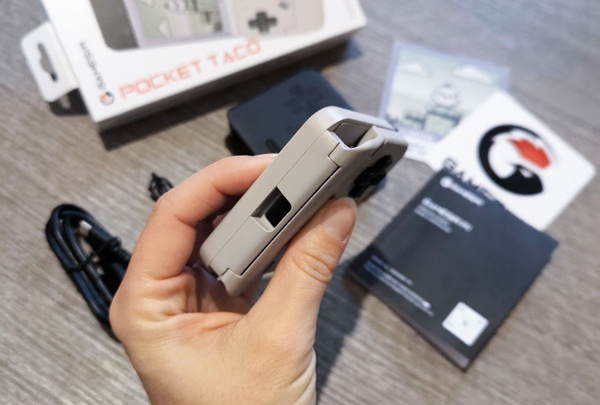
GameSir Pocket Taco is one of the latest innovations from the Guangzhou-based company and presents itself as a very interesting smartphone controller dedicated to retro gaming enthusiasts. With a look that pays homage to the glorious GameBoy, Pocket Taco has the particularity of being designed with a "clamp" design, which allows it to open and cover the lower part of your device, making it visually similar to the dear, old, Nintendo portable console. The connection is Bluetooth, perfect for Android and other compatible devices, also because we are talking about a real mini controller that could work anywhere, but which has constructive characteristics that prioritize smartphones, also seen in a bottom hole where a charging cable can pass directly and conveniently into the phone's USB-C port. GameSir Pocket Taco features a directional pad, four main front buttons, "Start" and "Select" plus four shoulder buttons positioned in a row, with L1 and R1 positioned on the corners and L2 and R2 next to them towards the inside, with smaller dimensions. There are also two small buttons dedicated to power and configurations, manageable and programmable with the dedicated application.
All buttons are membrane, while the shoulder buttons are tactile switches, to have immediate feedback even with light pressure, a very functional solution that ensures decidedly appreciable results. Remaining on the constructive information, the weight of the Pocket Taco is only 62 grams, with measurements of 78x70.9x20.7 millimeters, accompanying more or less perfectly the average measurements of modern smartphones. The battery is 600 mAh and allowed me to easily reach 20 hours of gaming on a single charge. Undoubtedly, GameSir does not disappoint and once again presents a product with good constructive characteristics, with plastic materials that give positive sensations in the hands and show good solidity. The Bluetooth connects extremely quickly and all buttons, during my tests, always showed great responsiveness and lag-free response.
GameSir Pocket Taco: Pros and Cons
GameSir Pocket Taco: Pros and Cons
Naturally, it is necessary to frame the Pocket Taco for the product it aims to be, that is, a controller aimed at the retro gamer audience. On the other hand, the absence of analog sticks or in any case a system to simulate the presence of a second movement input, immediately cuts it out from being used with the majority of current video games. We are aware that talking about retro gaming exposes one to the "grey" area of emulation, but it must still be said that if you are in the situation of legally playing past titles on your smartphone or if you follow the homebrew scene, in the right configurations Pocket Taco truly has an extra gear and brings back the beautiful sensations of the 8 and 16-bit era. Of course, I would have expected greater support from the GameSir application, especially regarding the management of the smartphone screen. If used optimally, Pocket Taco occupies the lower part of the panel and, therefore, one should find a way to force the chosen game to be displayed on the remaining visible part.
The application also allows you to select the usable part of the screen, but in practice, I had an enormous struggle finding titles actually compatible with the function, even among those that the app itself indicated I could use from my hub. Of course, there are external applications that help force the view on the screen, but the results are inconsistent. This is a real shame, because it could have made many retro (or retro-style) games present in many catalogs much more usable, see Microsoft's GamePass. To be clear, I had a lot of fun playing Street of Rage 4 and the Pocket Taco proved perfect both when playing with the smartphone horizontally in full screen (with the Taco used as a classic controller separate from the device), and vertically, but it was impossible to move the view to the upper part of the smartphone, which would have made my sessions even more comfortable. This is a simple example, but unfortunately, it applies to many other situations that could have given our protagonist an extra edge.
GameSir Pocket Taco: How to Use it to the Max!
GameSir Pocket Taco: How to Use it to the Max!
The situation changes radically when using emulators specifically designed to position the game screen in the optimal area, and it is precisely here that Pocket Taco shows all its qualities and becomes the true winning weapon for retro gaming enthusiasts. The sensations take you back in time and the use is precise, providing no small amount of joy. Precisely for this reason, there is regret that, with greater compatibility, this fun could have been brought to other gamers as well, making the Taco a broader-ranging product. I would add, in passing, that GameSir's skill is also evident in its ability to still make a controller comfortable that, by its very philosophy, must maintain small dimensions, and even with large hands, one can achieve a decent level of comfort. On the official website, you can find the GameSir Pocket Taco for sale at 45.99 euros, a fair price for the performance and quality offered, provided you are well aware of the use and target audience of this fascinating controller. If you want to take a video game journey into the past, you might have found an excellent travel companion in the GameSir Pocket Taco. It's a shame, because with a little more attention, we would be talking about hardware capable of bringing joy to a much wider audience.
VOTO: 7,5
Similar articles
FiiO LL-3.5A, the cable that turns headphones into a gaming headset
GIGABYTE Transforms Ultrabooks into Gaming PCs with AI BOX RTX 50

The Last House, a domestic apocalypse that descends into absurdity